Points and trophies
Points and trophies turn good work into recognition the whole team can see. Finished jobs earn points, a monthly leaderboard starts fresh each month, and trophies stay in each person's profile.
- Who sees it
- The team sees the leaderboard and the trophies. The property manager level has no points of its own: it awards trophies.
- Where to find it
- The Leaderboard tile for points and the ranking. The Trophies tile for trophies. Each person's trophies also show in their profile.
- What it needs
- The module Points and trophies turns the Leaderboard on or off. The Trophies tile is fixed: it stays even when the module is off.
What it is for
Technicians finish a lot of work that nobody sees. Points and trophies make the effort visible, job by job, and give the property manager a simple way to say thank you.
Earn points and read the leaderboard
- Finish jobs
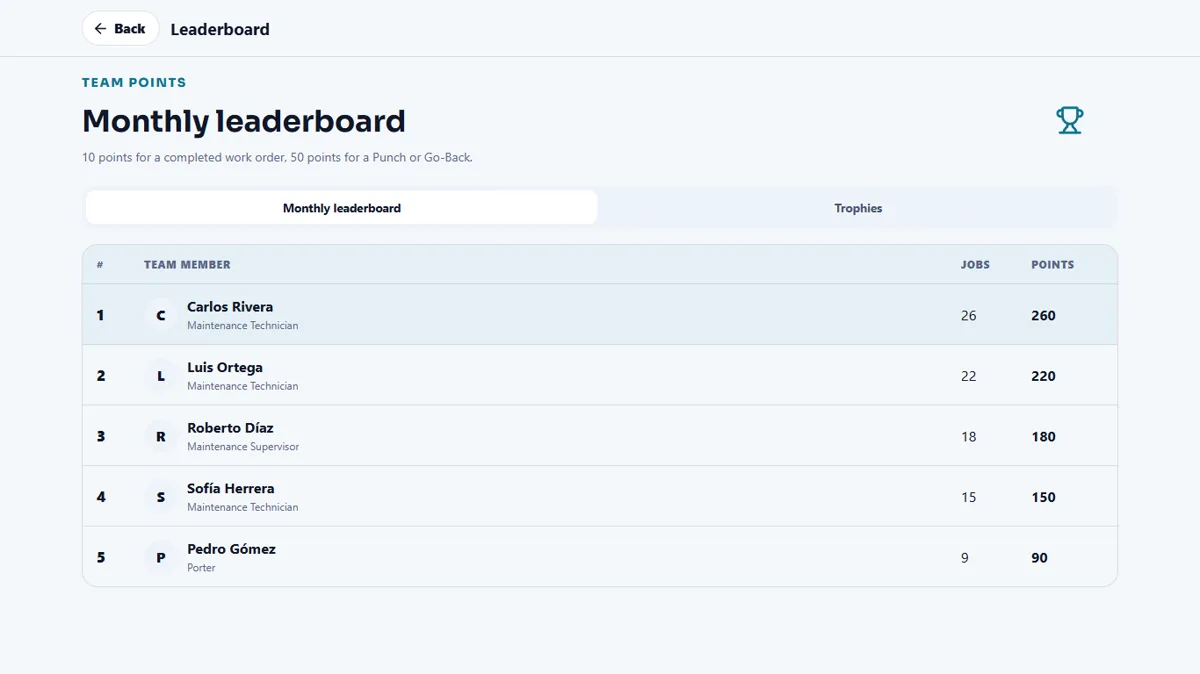
A completed work order is worth 10 points. A Punch or a Go-Back is worth 50 points. The points go to the person who did the work.
- Open the Leaderboard
Tap Leaderboard. The Monthly leaderboard lists the team with Jobs and Points. It starts fresh every month. Your own points show as This month and in total.
Trophies
Trophies come with milestones, such as completed work orders or years of service, and the property manager can also award one. Everything a person earned or was awarded stays in their profile.
Award a trophy
Only the Property Manager, or the person left in charge, can award trophies.
- Open Trophies
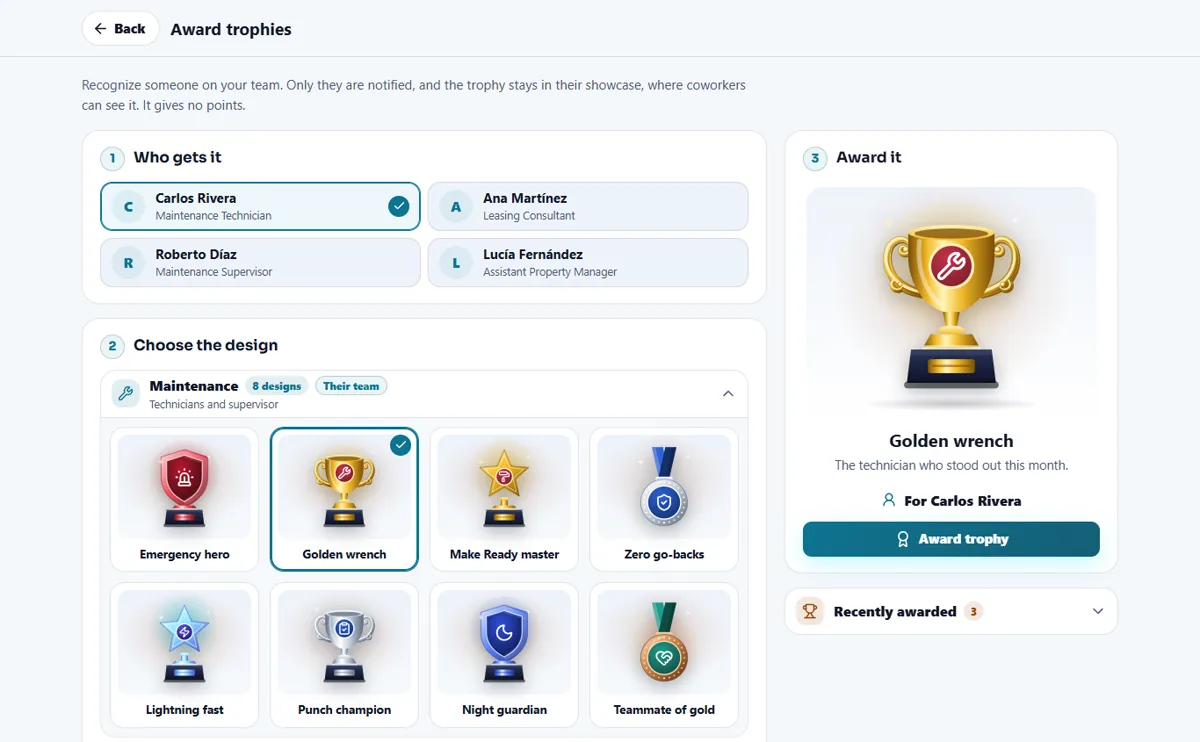
Open Trophies and tap Award trophies.
- Choose who and which design
Under Who gets it, pick the person. Under Choose the design, the designs come in two groups, Maintenance and Leasing team, and the group of the person's own team opens first. The preview shows the trophy large.
- Award it
Tap Award trophy and confirm with Yes, award it. Only that person is notified, and it gives no points.
- Take it back if it was a mistake
In Recently awarded tap Remove. It asks twice.
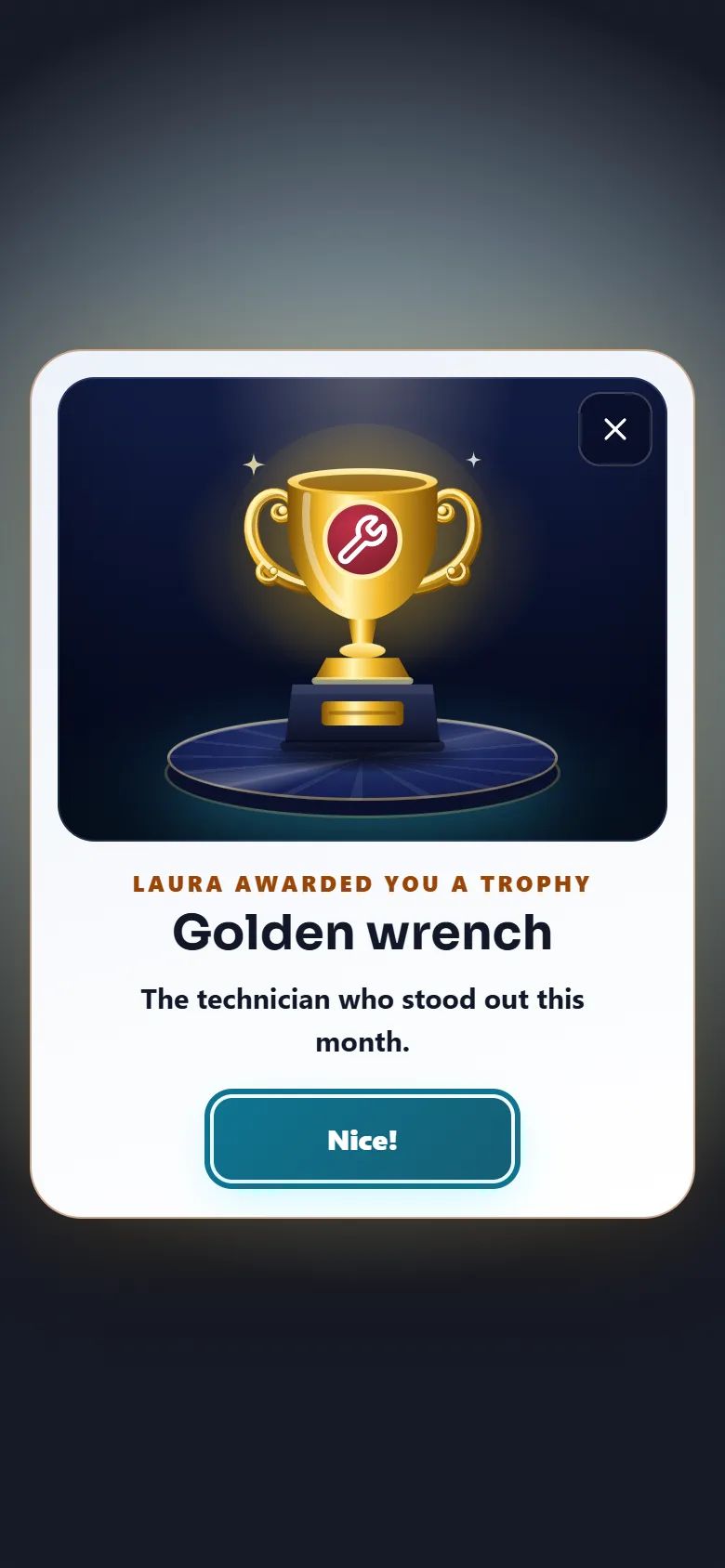
The person sees a celebration the next time they open the app, and the property manager who awarded it sees the same one.
The trophy showcase
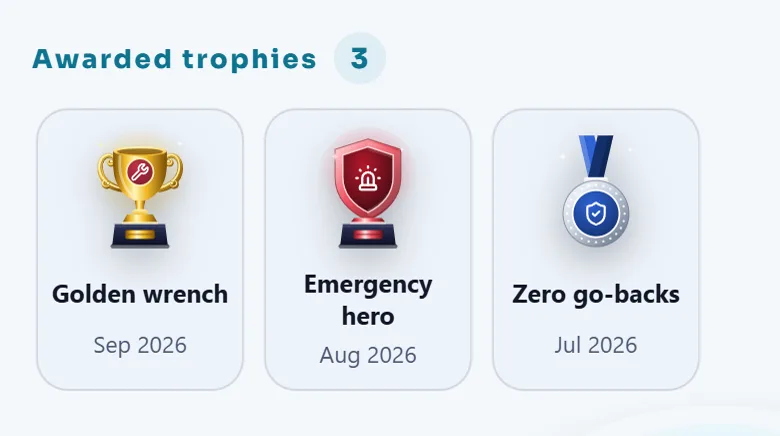
Every trophy the property manager awards goes to the person's showcase in the profile, newest first. Tap a trophy to see who gave it and when. A coworker who opens the profile can see them too. Praise that residents wrote and the property manager shared also appears next to the trophies (see Staff tab and recognitions).
Tips
Award small trophies often. The best trophy is the one given the day after the good work.
When the module is turned off
The Leaderboard tile, the points and the monthly ranking disappear. The Trophies tile stays so everyone can still see the trophies already won; new trophies cannot be awarded until the module is on again. Turning a module off hides it and keeps its data.
Related guides
Ready to try it with your own property?
Create your workspace, add your property and turn on the modules you need.